
Dynamic Analysis Specifications
In the last section you learned how to create an Analysis Specification for a whole Sample. This allows you to define discrete minimum and maximum values for a given Analysis of the Sample.
However, what if you have different ranges depending on e.g. the test method you are using or another factor?
In a small setup, you could probably simply define different analysis specifications for each scenario, but it might get quickly confusing and not useful anymore when other specific factors like e.g. the gender/age of a patient comes into consideration.
Dynamic Analysis Specifications
Since version 1.3.3 of SENAITE we added a new feature called "Dynamic Analysis Specifications" to handle exactly such scenarios in a flexible and extensible way.
Dynamic Analyses Specifications are created in the LIMS Setup from an Excel Spreadsheet and later be linked to an existing Analysis Specification.
Add a Dynamic Analysis Specification
Click on the ⚙️button in the upper right corner and chose the Dynamic Analysis Specifications tile and press then the Add Button.
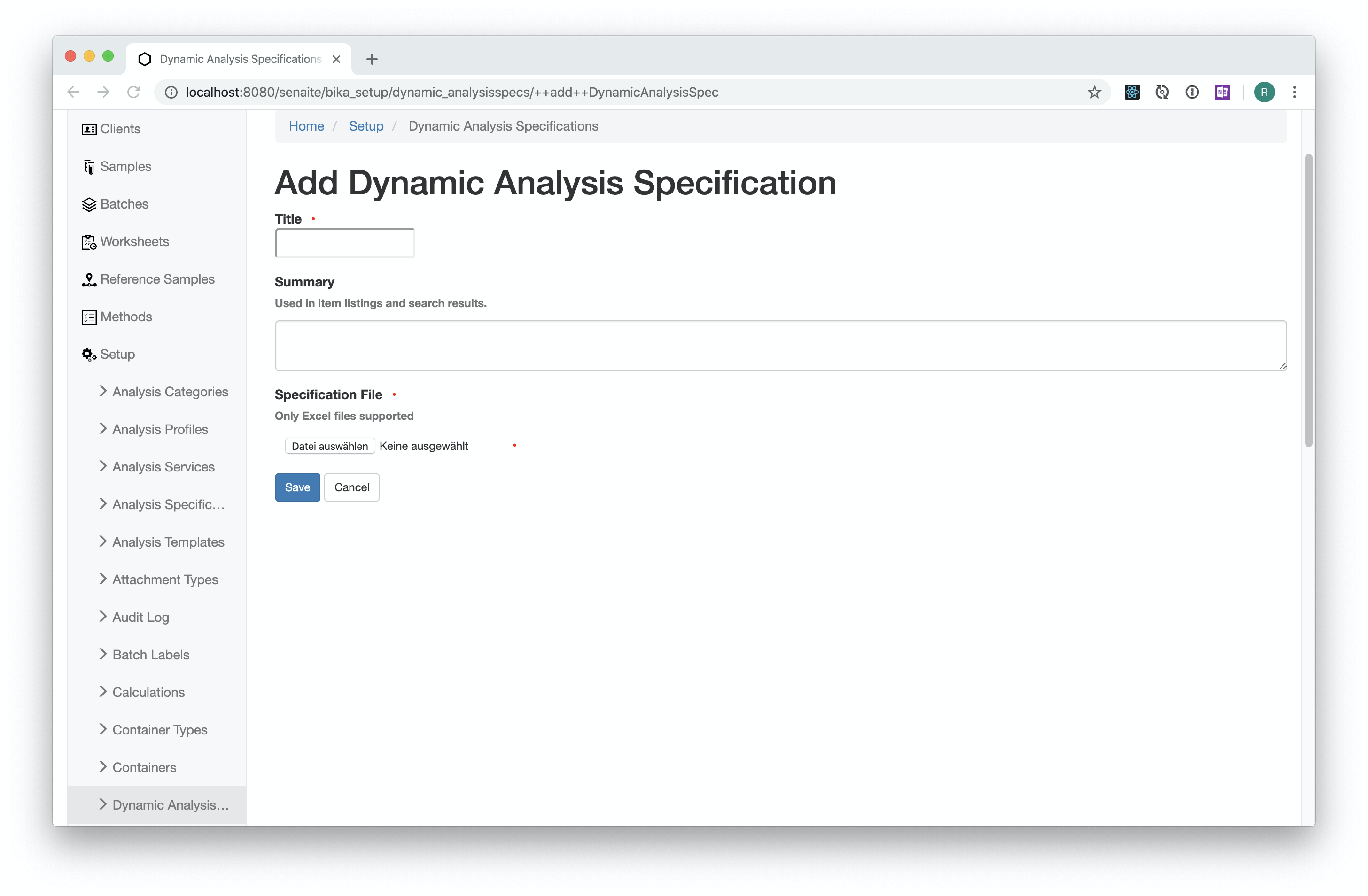
Fill in a meaningful title and upload an Excel spreadsheet with at least the
columns Keyword, min and max.
Functionality explained by Example
Given is an Excel with the following minimal set of columns:
| Keyword | Method | min | max |
|---|---|---|---|
| pH | Method-1 | 5 | 8 |
| pH | Method-2 | 6 | 7 |
☝️Note:
Besides min and max, these columns can be defined for each result range:
warn_min, min_operator, warn_max, max_operator, error
This Excel is uploaded to an Dynamic Analysis Specification object, which is linked to an Analysis Specification for the Sample Type "Water".
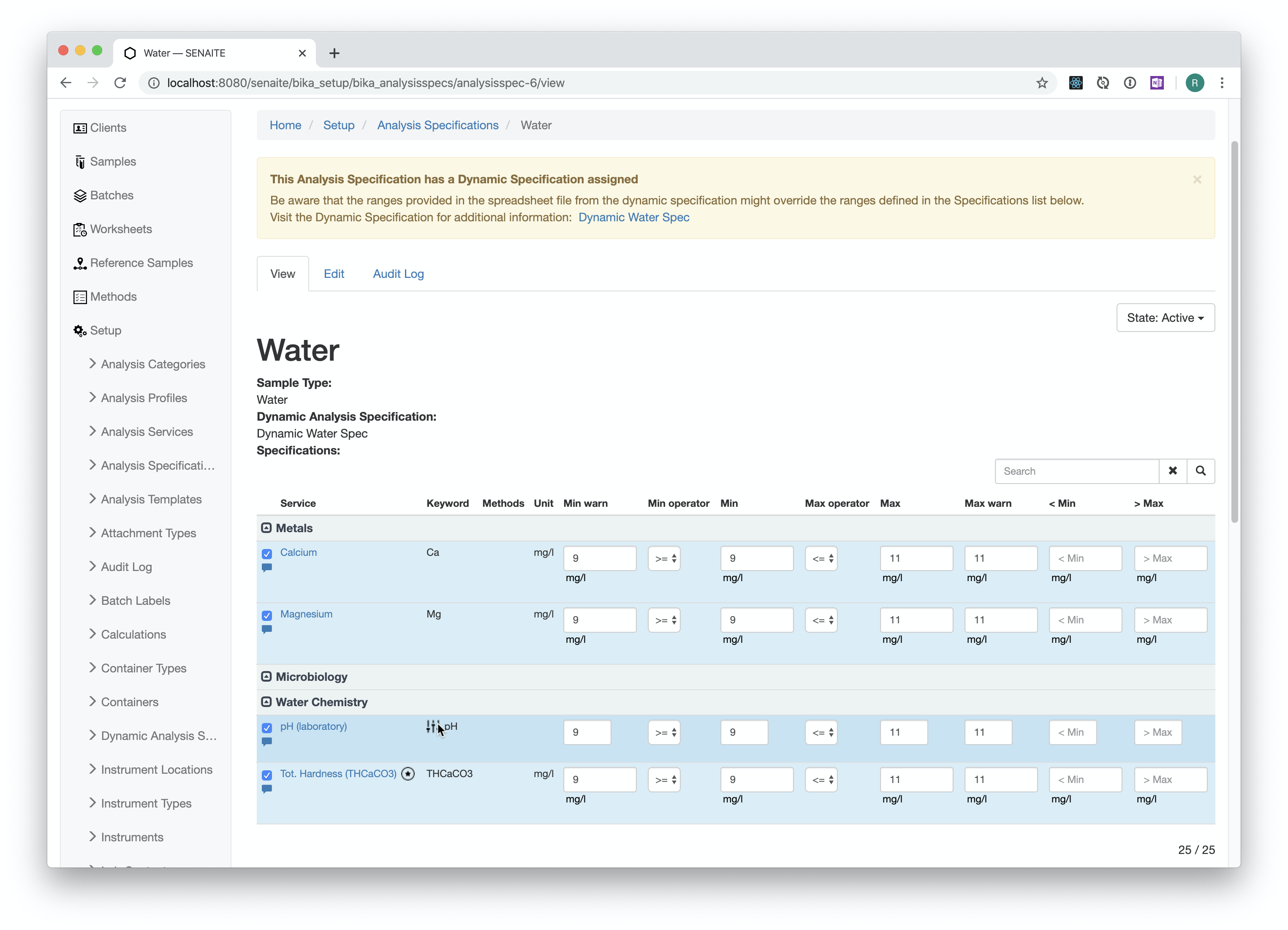
☝️Note:
The Analysis Specification must define a default specification for the pH
Analysis. When the Keyword of a selected Analysis of the Specification matches
with one of the listed Keywords of the Excel Specification file, the Analysis
will be considered "dynamic" and an icon will be displayed next to the Analysis.
The dynamic results range will be looked up when entering the result or the
default specification is used.
Now assume a new "Water" Sample is created with the pH Analysis to be tested
with Method-2. The results range selected will be then [6;7].
This means that every column after the "Keyword" column is considered as an additional criteria to find the correct results range.
In this case the Keyword AND the Method must match.
By default, the system looks up the column names, e.g. Method, from the
database schema of the analysis or the sample.
In this case, Method is a schema field of Analysis:
https://github.com/senaite/senaite.core/blob/master/bika/lims/content/abstractbaseanalysis.py#L343
Defining a custom Dynamic Results Range Adapter
Sometimes it is needed to define more complex matches, e.g. to match the Gender or Age of a Patient to find a specification. In that case, it is supported to define a custom Adapter like this:
<configure
    xmlns="http://namespaces.zope.org/zope">

  <!-- Dynamic Results Range Adapter
       Looked up in `abstractroutineanalysis.getResultsRange` -->
  <adapter
      for="my.lims.interfaces.IRoutineAnalysis"
      factory=".dynamicresultsrange.DynamicResultsRange"
      provides="bika.lims.interfaces.IDynamicResultsRange"
      />

  <class class="bika.lims.content.analysis.Analysis">
    <implements interface="my.lims.interfaces.IRoutineAnalysis" />
  </class>

</configure>
Contents of dynamicresultsrange.py:
from bika.lims.interfaces import IDynamicResultsRange
from bika.lims.interfaces.analysis import IRequestAnalysis
from zope.interface import implementer


@implementer(IDynamicResultsRange)
class DynamicResultsRange(object):

    def __init__(self, analysis):
        self.analysis = analysis

    def __call__(self):
        if not IRequestAnalysis.providedBy(self.analysis):
            # Cannot grab the patient from analyses not assigned to a Sample
            return {}

        # Get the sample's specificaion
        sample = self.analysis.getRequest()
        specification = sample.getSpecification()
        if not specification:
            # No specification, nothing to do
            return {}

        # Dynamic specification
        dyn_spec = specification.getDynamicAnalysisSpec()

        # Get the patient from the sample
        sample = self.analysis.getRequest()
        patient = sample.getField("Patient").get(sample)
        if not patient:
            # No patient assigned for this sample, do nothing
            return {}

        # Patient's age (in years)
        age = patient.getAge()
        # Patient's gender (male/female/dk)
        sex = patient.getGender()

        # Get the dynamic specification for this analysis by keyword
        # We expect the xls to have the columns "keyword", "age" and "sex"
        keyword = self.analysis.getKeyword()
        ranges = dyn_spec.get_by_keyword().get(keyword)
        if not ranges:
            # No ranges defined for this analysis
            return {}

        # Find a match by age and sex
        for range in ranges:
            if range.get("age") == age and range.get("sex") == sex:
                return range

        # No dynamic specification found for this analysis and patient
        return {}
Congratulations 🙌 you learned how to create and link dynamic analysis specifications and how to extend the functionality with a custom Dynamic Results Range Adapter.