How to update SENAITE
We regularly release new versions of SENAITE and the required Add-ons. Therefore, it is crucial to understand the steps required to update an existing SENAITE installation and how to run the upgrade steps to migrate your data from one version to the other.
Disclaimer
Although we invest a lot of time ensuring that each upgrade step works properly and migrates the data safely from one version to another, unforeseen things can happen and your database can get damaged.
Please note that your data is in your responsibility and it is highly recommended to test any new version update first on a test system and keep regular backups of your production system database.
As part of our professional services, we also provide paid support to support you in upgrading your SENAITE system.
Learn more about enterprise solutions: https://www.senaite.com/enterprisesolution
Releases
New releases will be published on the Python Package Index (PyPI).
Since version 1.3.3 we distribute the senaite.lims
package as "metadata only package".
This means, that this package only contains the pinned versions of all compatible SENAITE add-ons needed and no additional code anymore.
Therefore, it is sufficient to install this package only and the others will automatically be installed as dependency in the correct version.
Preparing the Update
Please read for every new update the change logs of each package: https://pypi.org/project/senaite.lims/#changelog
Most of the changes happen in senaite.core, so read them thoroughly:
https://github.com/senaite/senaite.core/releases
If you have your own add-on, please review the changes to check beforehand if some parts of your add-on require modifications. Worth to mention that the following tips are strongly recommended before proceeding with the upgrade:
- Test first with a clone of your current productive VM
- Do a
zeopackof your database - Do a backup of both your code and database
(a copy of the
filestorageandblobstoragedirectories) - Try to have as much analyses in verified/published statuses as possible
- Stop unnecessary applications and services that may consume RAM
- Start with a clean log file
- Start an explicit reserved client instance in foreground mode, e.g. run
bin/client_reserved fgin the directory where the buildout config file is located
Update Procedure
Update your buildout configuration and pin the version of senaite.lims in
the [versions] section as described in the Install SENAITE section.
Example:
[buildout]
...
eggs =
    ...
    senaite.lims
zcml =
...

[versions]
senaite.lims = 1.3.3.1
zc.buildout =
setuptools =
Re-run the buildout script:
$ which buildout
/home/training/miniconda2/envs/senaite/bin/buildout
$ PYTHONHTTPSVERIFY=0 buildout
Start SENAITE in foreground (debug) mode, use this command:
$ bin/instance fg
or if your setup is based on the Plone Unified Installer:
$ sudo bin/client_reserved fg
This will print several logs to the terminal and notifies when the server is ready with the line:
2020-03-03 09:59:44 INFO Zope Ready to handle requests
Open a browser (Safari/Chrome/FireFox ...) and navigate to the ZMI of your SENAITE site, e.g.:
http://localhost:8080/senaite/portal_setup/manage_upgrades
Select the profile as shown and press the "Upgrade" button.
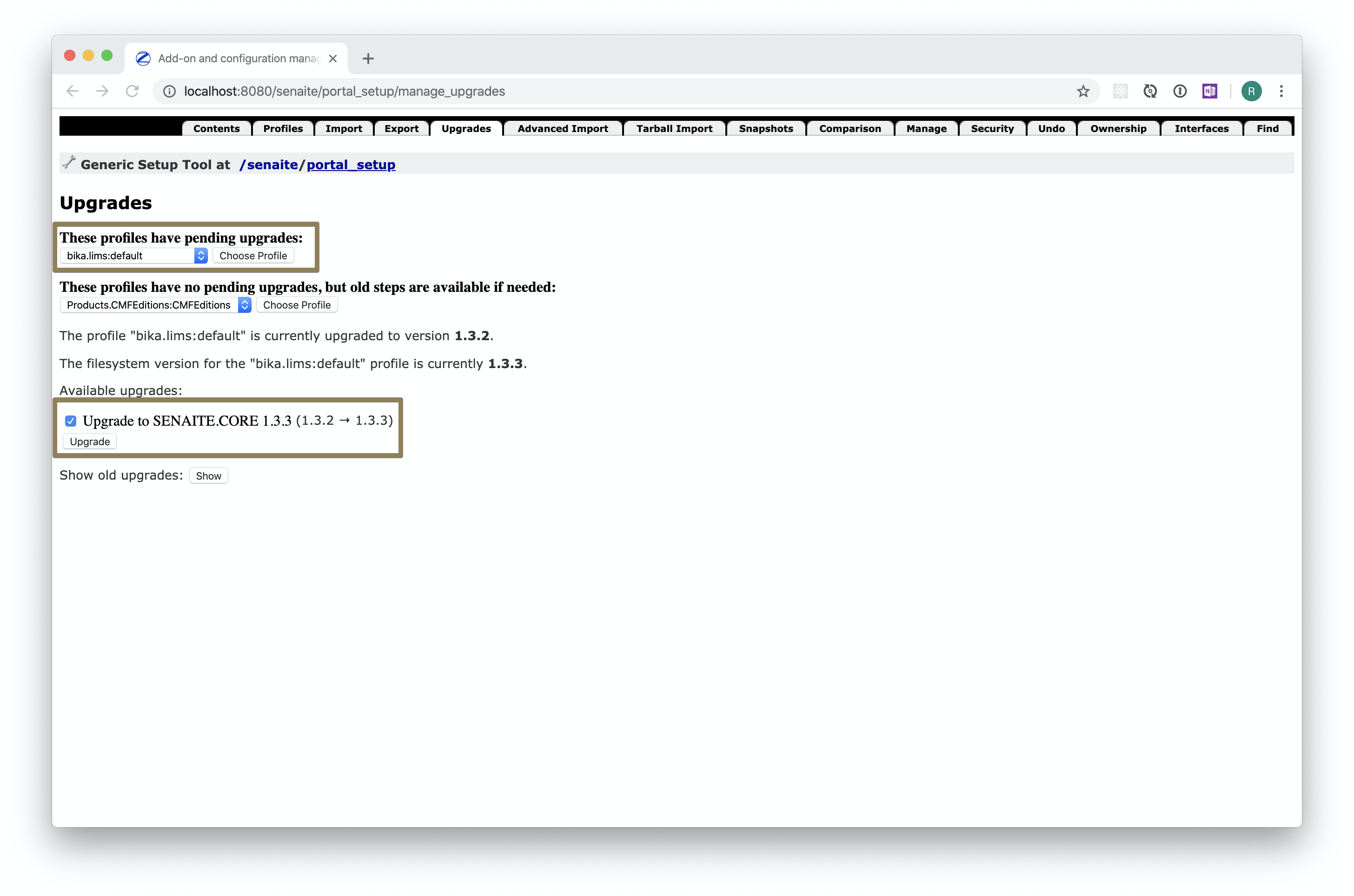
☝️Note: If the upgrade step is not displayed, you might have already run it. You can select then the profile from the second selection and press the "Show old upgrades" button.
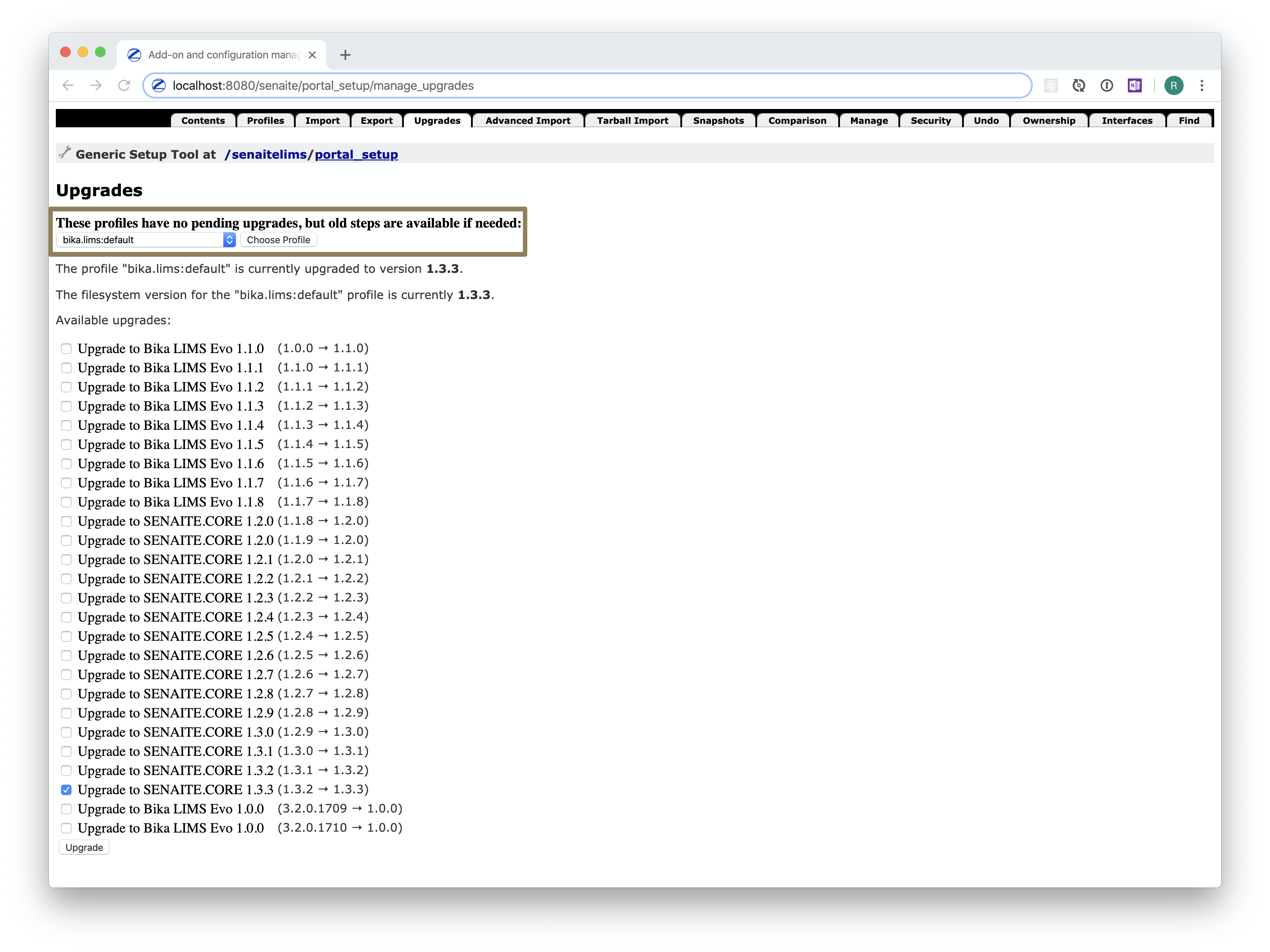
You can re-run the upgrade step of the latest version if needed.
Continue the last steps for the rest of the profiles with pending upgrades.
Verifying the versions
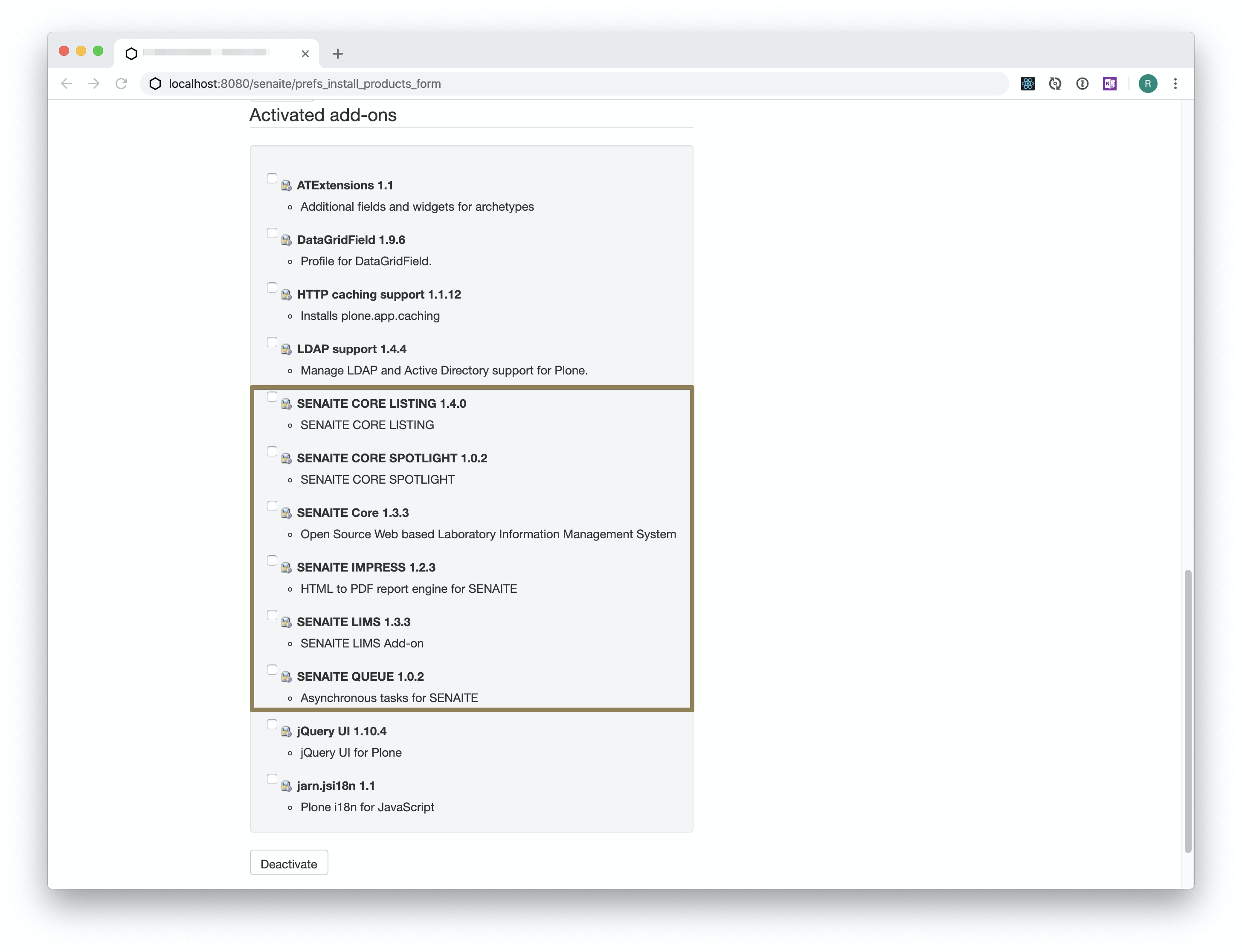
Go to the Add-ons control panel of the SENAITE site setup and check the installed versions: